

Sponsor Guidelines
Introduction
Any registered user of NodeReal can become a gas sponsor on MegaFuel. It empowers users to create and manage their own gas sponsorship policies directly from the dashboard — no approval process required. This guide outlines how to get started and how to manage your sponsorship policies effectively.
Registration Process
Become a MegaNode User
- Go to https://nodereal.io/meganode
- Navigate to the login page and select the "Login with GitHub" option.
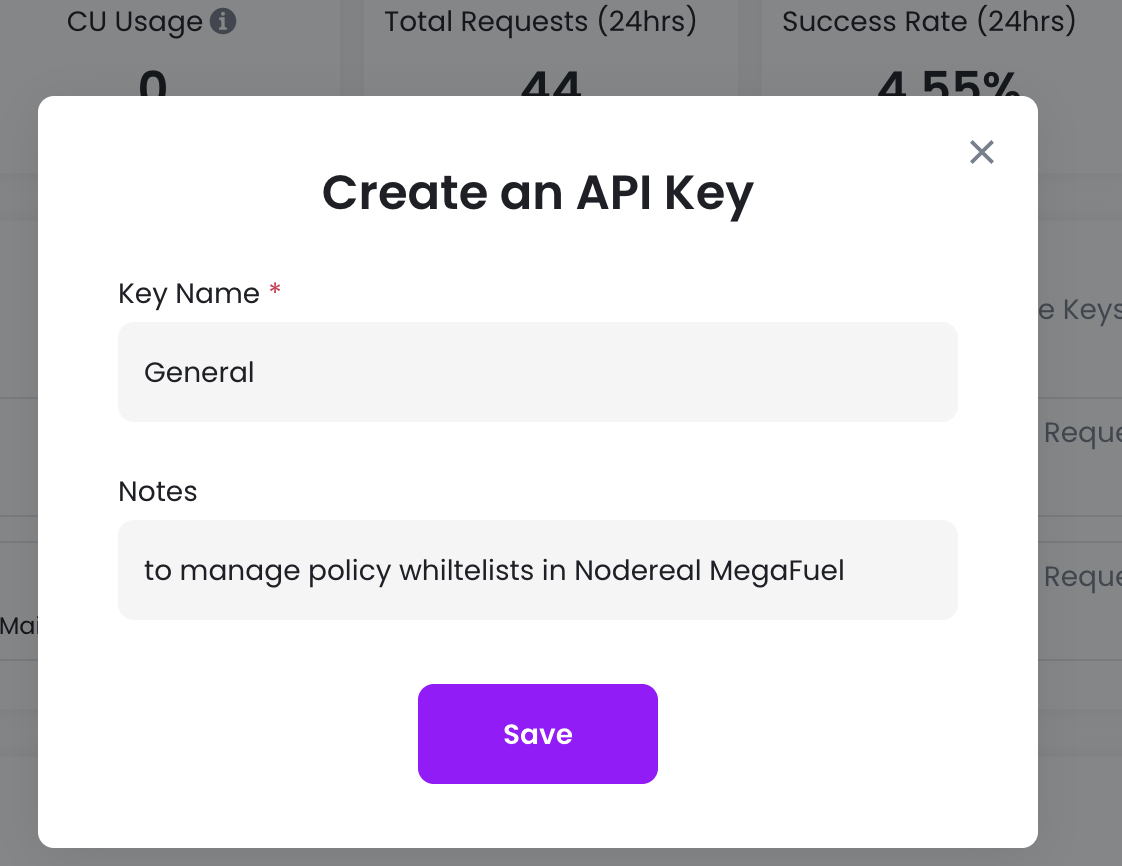
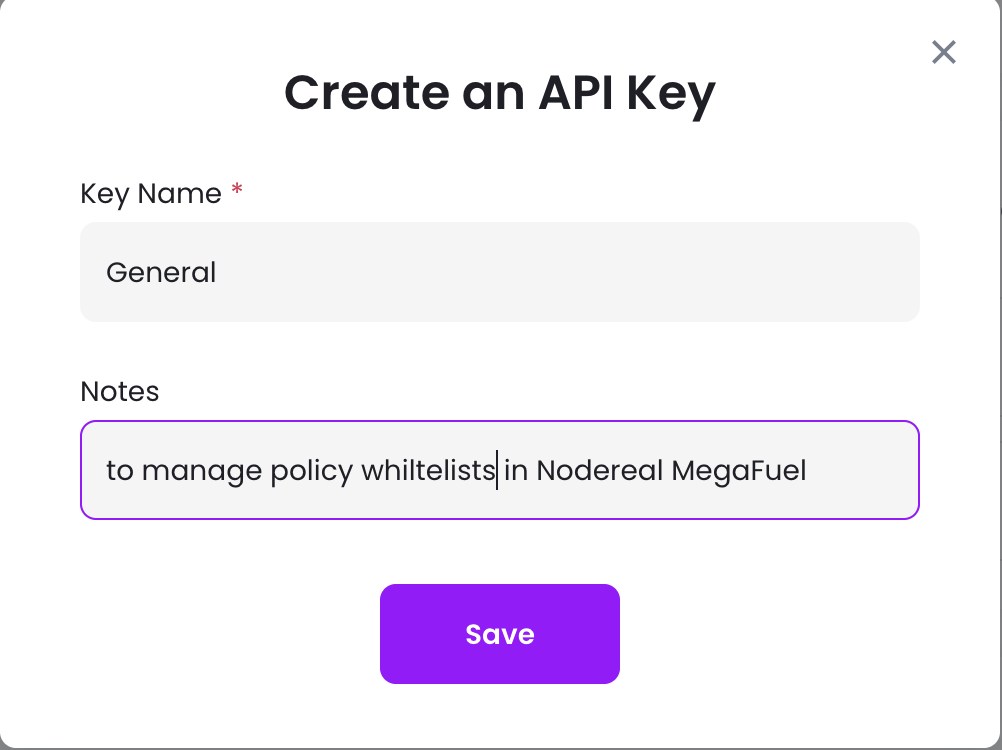
- Choose to create an API key, input a key name and notes, then click "save".
- Now you have your first API key, which will be used later to manage your policy.

- Click the API Key row to access the key details.
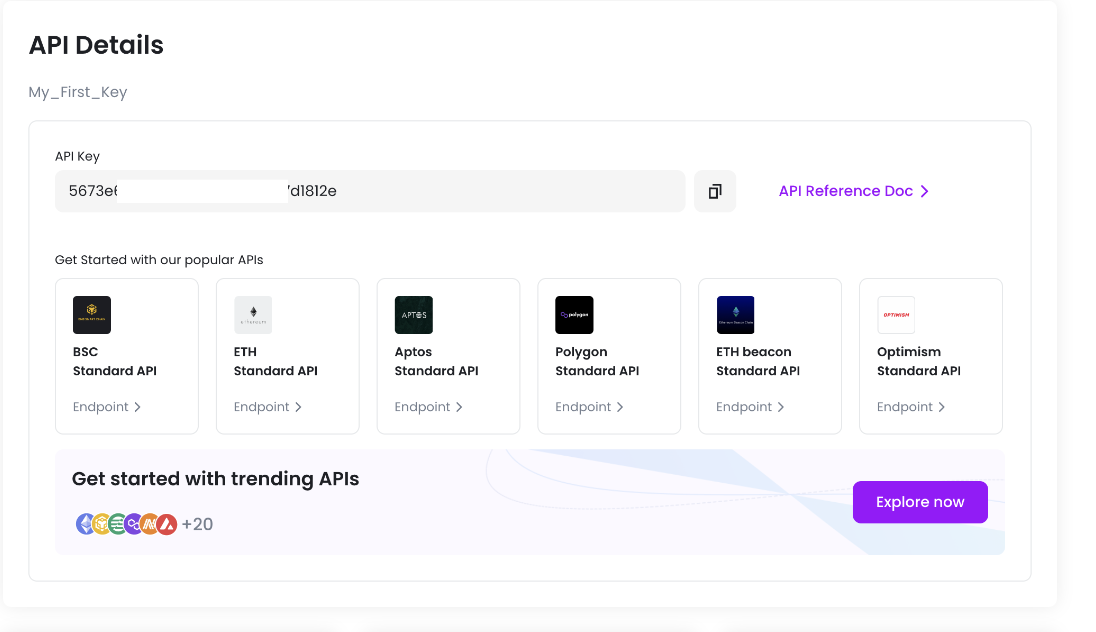
Never share your API key with others. If it is leaked, others may be able to manage your paymaster policies.
Create Your Sponsor Policy (Self-Onboarding)
Sponsors can now create and manage policies directly — no application form or team review required.
- Go to the MegaFuel Dashboard and log in with your MegaNode account.
- Click "Create Policy" and fill in the policy details:
- Policy Name — a unique name for your policy.
- Chain — select BSC Mainnet or Testnet.
- Sponsorship Rules — configure start/end time, and any other spending limits.
- Funding Address (optional) — a wallet address you own. Deposits sent from this address to the MegaFuel receiver will be automatically detected and credited to your policy (see Funding Process below).
- Click "Save". Your policy is created immediately and assigned a Policy UUID.
You can create up to 20 policies per account. Each new policy starts with a zero balance; fund it before going live.
Testing Your Policy on Testnet
It is recommended to validate your integration on BSC Testnet before going live on Mainnet.
- Create a Testnet policy on the MegaFuel Dashboard by selecting BSC Testnet as the chain.
- Fund it with testnet BNB (see Funding Process below).
- Run your integration tests against the testnet endpoint.
- Once verified, create a separate Mainnet policy and fund it with real BNB.
Funding Process
MegaFuel now supports self-service deposits — no need to notify the team or submit a TX hash manually. Deposits are detected automatically by the system.
Option A — Auto-Deposit (Recommended)
This is the simplest way to keep your policy funded on an ongoing basis.
- When creating or updating your policy, set the Funding Address to a wallet you own.
- Send BNB from that wallet to the MegaFuel receiver address:
0x855bcfFbDcD35c52EAD99609f5e7ABE211EB4e88 - The system automatically detects the incoming transfer and credits it to your policy balance. No further action is needed.
You can update your Funding Address at any time from the MegaFuel Dashboard or via the pm_updatePolicy API.
Option B — Manual Deposit
If you prefer not to configure a Funding Address, you can deposit manually:
- Send BNB from any wallet to the MegaFuel receiver address:
0x855bcfFbDcD35c52EAD99609f5e7ABE211EB4e88 - Send your Policy UUID and the transaction hash (TX hash) to Telegram: @ruojunm
- The team will verify the transfer and credit it to your policy.
MegaFuel Receiver Address
| Network | Address |
|---|---|
| BSC Mainnet | 0x855bcfFbDcD35c52EAD99609f5e7ABE211EB4e88 |
| opBNB Mainnet | 0x855bcfFbDcD35c52EAD99609f5e7ABE211EB4e88 |
| Network | Address |
|---|---|
| BSC Testnet | 0x96823AF694AC01Bdb22CA226BDaA64fDF00138Ab |
| opBNB Testnet | 0x96823AF694AC01Bdb22CA226BDaA64fDF00138Ab |
Note: Only transfers originating from your configured Funding Address are automatically credited. For all other transfers, use Option B above to request manual crediting.
Managing Your Sponsor Policy
Once the sponsor policy is created, sponsor will received a sponsor policy UUID. Sponsor can manage the policy through API according to the UUID.
Add account to the policy whitelists
See API Reference pm_addToWhitelist
Here are some example:
- Add "From addresses" into whitelist, only transactions originating from addresses included in this predefined whitelist will be eligible for gas fee sponsorship.
curl --location 'https://open-platform-ap.nodereal.io/{$apikey}/megafuel' \
--header 'Content-Type: application/json' \
--data '{
    "jsonrpc": "2.0",
    "id": 1,
    "method": "pm_addToWhitelist",
    "params": [
        {
            "policyUuid": "a2bb7201-a665-4d85-9d6b-860ca5e40e5b",
            "whitelistType": "FromAccountWhitelist",
            "values": ["0xBbE8831B3355cDca061B9491f48D39481449991d", "0xeD24FC36d5Ee211Ea25A80239Fb8C4Cfd80f12Ee"]
        }
    ]
}'
curl --location 'https://open-platform-ap.nodereal.io/{$apikey}/megafuel' \
--header 'Content-Type: application/json' \
--data '{
"jsonrpc": "2.0",
"id": 1,
"method": "pm_addToWhitelist",
"params": [
{
"policyUuid": "a2bb7201-a665-4d85-9d6b-860ca5e40e5b",
"whitelistType": "FromAccountWhitelist",
"values": ["0xBbE8831B3355cDca061B9491f48D39481449991d", "0xeD24FC36d5Ee211Ea25A80239Fb8C4Cfd80f12Ee"]
}
]
}'- Add "To addresses" into whitelist, this whitelist restricts the smart contract addresses that sponsored transactions can interact with.
curl --location 'https://open-platform-ap.nodereal.io/{$apikey}/megafuel' \
--header 'Content-Type: application/json' \
--data '{
    "jsonrpc": "2.0",
    "id": 1,
    "method": "pm_addToWhitelist",
    "params": [
        {
            "policyUuid": "a2bb7201-a665-4d85-9d6b-860ca5e40e5b",
            "whitelistType": "ToAccountWhitelist",
            "values": ["0xBbE8831B3355cDca061B9491f48D39481449991d", "0xeD24FC36d5Ee211Ea25A80239Fb8C4Cfd80f12Ee"]
        }
    ]
}'- Add "ContractMethodSig" into whitelist, this whitelist restricts the contract methods that sponsored transactions can call.
curl --location 'https://open-platform-ap.nodereal.io/{$apikey}/megafuel' \
--header 'Content-Type: application/json' \
--data '{
    "jsonrpc": "2.0",
    "id": 1,
    "method": "pm_addToWhitelist",
    "params": [
        {
            "policyUuid": "a2bb7201-a665-4d85-9d6b-860ca5e40e5b",
            "whitelistType": "ContractMethodSigWhitelist",
            "values": ["0xa9059cbb"]     // method signatures, e.g. 0xa9059cbb means "transfer"
        }
    ]
}'- Add "BEP20Receivers" into whitelist, this whitelist restricts the token receiver addresses for sponsored transactions when the contract is ERC20 transfer.
curl --location 'https://open-platform-ap.nodereal.io/{$apikey}/megafuel' \
--header 'Content-Type: application/json' \
--data '{
    "jsonrpc": "2.0",
    "id": 1,
    "method": "pm_addToWhitelist",
    "params": [
        {
            "policyUuid": "a2bb7201-a665-4d85-9d6b-860ca5e40e5b",
            "whitelistType": "BEP20ReceiverWhiteList",
            "values": ["0xBbE8831B3355cDca061B9491f48D39481449991d", "0xeD24FC36d5Ee211Ea25A80239Fb8C4Cfd80f12Ee"]
        }
    ]
}'
Remove items from policy whitelists
See API Reference pm_rmFromWhitelist
Empty the policy whitelists
See API Reference pm_emptyWhitelist
List policy whitelists
See API Reference pm_getWhitelist
Upcoming Features...
- Accessing the Console
- Viewing Existing Policies
- Modifying Policy Rules
- Monitoring Sponsorship Activity
Updated 5 months ago